Install bytes you can check: every Cloudhal release is now signed
Signed statements, build attestations, immutable releases and expiring key lists: what the last two years of supply-chain attacks taught us, and how to verify a Cloudhal release yourself.
On this page
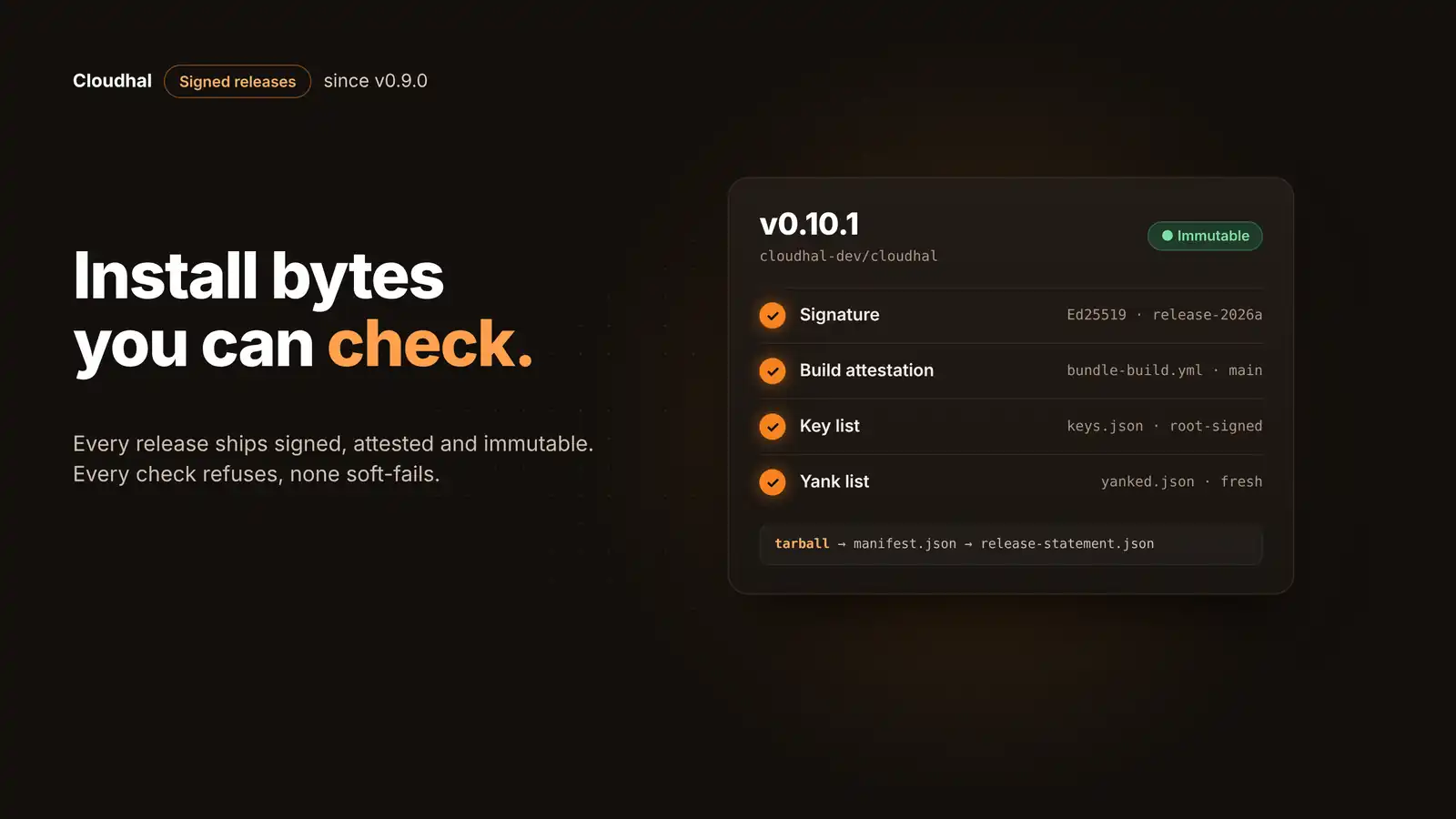
When you update a website platform, you run code someone else built, on a machine that holds your keys and your content. That makes the update path one of the most valuable targets in open source, and the last two years proved it more than once. Since v0.9.0, every Cloudhal release ships as a signed bundle: the exact bytes to deploy, a signed statement that pins every one of them, and a build attestation that ties them to the commit and workflow that made them. This post explains what that protects against, what it doesn't, and how to check a release yourself.
Why releases are a target
These incidents are public and well documented. None was caused by broken cryptography: each one went through the gap between the code people reviewed and the bytes people installed.
| When | What happened | The gap | In Cloudhal's release path |
|---|---|---|---|
| Mar 2024 | xz Utils: the step that activated a backdoor in 5.6.0 and 5.6.1 was only in the release tarballs, not in the Git repository | Release files built by hand, apart from the reviewed source | The bundle is built in CI from the tagged commit, and an attestation names that commit and workflow |
| Mar 2025 | tj-actions/changed-files: a stolen bot token let attackers point most version tags at a malicious commit | Tags and assets could be moved after publication | Immutable releases: tags and assets cannot change once published |
| Sep 2025 | chalk, debug and 16 more npm packages republished with crypto-stealing code after a maintainer was phished | One account could publish new bytes under trusted names | Publishing needs no stored token, and the signature needs a reviewed, separate job |
| Sep 2025 | Shai-Hulud: a worm stole npm tokens from developers and republished itself into their packages | Long-lived publish tokens on laptops and in CI | npm trusted publishing (OIDC), no long-lived npm token |
Sources: Andres Freund's disclosure of the xz backdoor, CISA's alert on tj-actions/changed-files, Check Point on the npm phishing compromise and Krebs on Security on Shai-Hulud.
The platforms moved too. npm made trusted publishing with OIDC generally available in July 2025, and GitHub made immutable releases generally available in October 2025. Cloudhal uses both. Signing is the layer on top: it lets anyone who downloads a release check, offline and without trusting GitHub, that the bytes are the ones the project meant to ship.
What a release contains
Each release from v0.9.0 on carries the same set of files, all attached while the release is still a draft:
| File | What it is |
|---|---|
| cloudhal-release-<v>.tar.gz | The built site and admin Workers and the standard theme's static assets, in a deterministic tarball |
| manifest.json | Every part by path, size and SHA-256, plus what a deployer must know first: feature levels, migrations, whether rolling back past it is safe |
| release-statement.json | A small document (at most 4 KB) that pins the manifest and the tarball by hash, for this version and commit |
| release-statement.sig | A 64-byte Ed25519 signature over the statement's exact bytes |
| cloudhal-release-<v>.sigstore.json | The build-provenance attestation: which workflow, on which commit, produced these files |
| keys.json, yanked.json (+ .sig) | Snapshots of the signed key list and yank list at release time (from v0.10.0) |
The project key signs exactly one kind of file: the statement. Everything a deployer uploads is covered through it, because the statement pins the manifest and the manifest pins every file.
How a release gets signed
Building and signing happen in separate jobs that never share a secret. Pick a step:
Build and attest. A reusable workflow checks out the release commit, builds the standard starter exactly as cloudhal deploy would, and writes the tarball, the manifest and the unsigned statement. It holds no secret. GitHub's attestation action then records which workflow built these files from which commit.
- Permissions: read the repo, write an attestation
- Frozen lockfile
- Refuses a part that contains a deploy secret
- Output: 3 files + Sigstore bundle
Verify, then sign. A separate job in a protected environment, with a required reviewer and main only, checks out nothing and runs no project build code. It verifies the attestation for each file, checks that the statement names the planned version, this commit and the active key, and only then signs.
- gh attestation verify, per file
- Derived public key must equal the pinned one
- Signs, then verifies its own signature
- Refuses within 90 days of the key's expiry
Draft and re-check. The release is created as a draft and every asset is attached. After the npm packages are published, the job reads the draft again and requires exactly the expected file names and digests, because anyone with write access could swap a draft asset in between.
- Verify the signature with the pinned key
- Attach assets to the draft
- npm publish via trusted publishing
- Re-check names and digests before publishing
Publish, immutable. Only now does the release become visible, already complete. From that moment its tag and files can never change. If something is wrong, the fix is a new version, never an edited one.
- Tag protected, assets locked
- Same bytes for every user, at the same moment
- No early-access channel
We describe this as isolating the signing key from the build, with provenance produced by the building workflow. We don't claim a formal SLSA build level until the build platform's own requirements are assessed.
What it protects against, and what it doesn't
A consumer that checks both the signature and the attestation has two independent factors. Pick a threat to see what stops it:
The thief can sign, but cannot make GitHub attest that bundle-build.yml built those bytes on main. cloudhal deploy --release checks both. The key is then revoked through the yank list at once, and through the root-signed key list within days. A verifier that only checks signatures, such as a deployer running inside a Worker, relies on the key alone until it is revoked.
Published releases are immutable, and every file is pinned by hash under the signature. A changed byte fails verification before anything is uploaded.
The signed statement names its version and channel, and the verifier compares them with what you asked for. A validly signed 0.9.0 served where 0.10.1 is expected is refused.
The yank list expires 30 days after it is signed and is re-signed weekly, so an attacker cannot keep showing an old list forever. The CLI also remembers the highest list it has seen and refuses to go back. A stateless verifier can still be shown an older list inside those 30 days.
The yank key can only reduce trust: it can withdraw versions and revoke keys, never add one. A thief could withdraw good releases (denial of service). The CLI refuses a list that drops an entry it has seen, and the offline root replaces the yank key.
If bad code reaches main, or a build dependency is compromised, both factors faithfully cover bad bytes. That is what required reviews on main, the frozen lockfile, and your own backups and rollback are for. Signing proves where bytes came from, not that they are good.
Keys that expire, and a list that can only take trust away
A signature is only as good as the answer to "which keys do I trust today?". Cloudhal answers it with three keys and two signed lists:
| Key | Signs | Kept | Lifetime |
|---|---|---|---|
| Root | keys.json only | Generated offline, encrypted; one sealed copy in a private repo, one offline; passphrase kept apart | Used at the yearly rotation or in an emergency |
| Release (cloudhal-release-2026a) | release-statement.json only | Secret of one protected GitHub environment with a required reviewer | 2026-11-12 to 2027-11-12; the successor is listed 120 days ahead |
| Yank (cloudhal-yank-2026a) | yanked.json only | Its own protected environment, main only | Replaced by the root, never overlapped |
Both lists are served from cloudhal.dev/.well-known/cloudhal/, and both expire: keys.json within 13 months, yanked.json 30 days after each weekly signing. The merge rule is reduce-only: a list can revoke a key, narrow its window or withdraw a version, but nothing in either list can add a key you don't already pin. Adding a key stays a reviewed change on your side.
Why there is no soft-fail
The design takes one lesson from WordPress. WordPress 5.2 started signing updates with Ed25519 in 2019, with a verification key that expired on April 1, 2021, and it let updates through when a check failed, because the feature was still experimental. In June 2024 a core change turned signature verification off for core, plugin and theme updates until signing is fully in place on wordpress.org. Rolling out verification gently is a reasonable choice for a project of that size. It also shows how a check that is allowed to fail stops protecting anyone.
So every Cloudhal consumer refuses: an unknown, expired or revoked key, a list that cannot be fetched or has expired, a version that does not match the request. There is no override flag for any of these.
Install a release you can check
cloudhal deploy --release installs the signed standard theme of the CLI's own version instead of building your project. Your content, config and secrets still come from the project.
npx cloudhal deploy --release
To install another version, run that version of the CLI:
npx @cloudhal/cli@0.10.1 deploy --release
Before it uploads anything, it fetches and verifies the key and yank lists, checks the signature, the tarball's digest and the build attestation, and checks that your theme files equal the starter the bundle was built from. Its memory of the lists lives in ~/.cloudhal/release-trust.json.
Download a release's assets, then check the attestation with the GitHub CLI:
gh attestation verify cloudhal-release-0.10.1.tar.gz \
  --repo cloudhal-dev/cloudhal \
  --signer-workflow cloudhal-dev/cloudhal/.github/workflows/bundle-build.yml
The public release key and its fingerprints are in release-signing-keys.md.
@cloudhal/release-verify is the one verifier the CLI and the release scripts use. It runs on Workers, Node and in browsers with WebCrypto, so a host can verify a bundle where it deploys it:
const release = await verifyRelease({
  request: { version: "0.10.1" },
  statement, signature, manifest,
  tarball: () => stream,
  planVersion: 1,
});
Two flags, never implied
- `--allow-single-factor` continues when the attestation cannot be checked (no `gh`), on the signature alone, and says so. A failed attestation is always a refusal.
- `--discard-local-theme` deploys the official theme even though your theme files differ, after listing every file that will not be deployed. It deletes nothing on disk.
- Neither flag is ever turned on for you, not in CI and not in non-interactive runs.
Questions
Which versions are signed?
v0.9.0 and later carry a bundle and a signature. From v0.10.0, each release also attaches the signed key list and yank list. v0.8.0 and older have no bundle and can never gain one, because their releases are immutable.
Do I have to use deploy --release?
No. cloudhal deploy still builds your project, and it is what you use for a custom theme. --release is for installing or updating the standard theme without a local build.
Will Cloudhal update my site on its own?
No. The project's tools never install a bundle automatically. A security release is marked as such in its manifest so tools can highlight it; installing it stays your decision.
What happens if cloudhal.dev is down?
deploy --release refuses, and your running site is not affected. It never falls back to an older cached list, because an attacker who blocks the site could otherwise roll trust back.
Where is the signing key kept?
In one protected GitHub environment with a required reviewer, readable only by the signing job. Moving it into a cloud KMS is planned for when there is a second maintainer, or at once if the secret is ever exposed.
The full design, including the formats, limits and the reasoning behind each choice, is in RFC-0046. Every release is on the releases page.
This post was drafted by an agent through this site's MCP server, from the repository's design documents and the public sources linked above, and a person approved it before it went live.